VPN Lumos: Fast VPN
- 4.3
- Rating
- 10.00M
- Installs
- Free
- Price

 Analysis by App-foxy
I tried VPN Lumos as a straightforward privacy and connection tool rather than treating it like a magic fix for every internet problem. That distinction matters. A VPN can change how your connection appears to websites and can be useful on unfamiliar networks, but it cannot make every service faster, unlock every platform, or replace sensible account security. In my experience, VPN Lumos is at its best when I want a quick connection with very little setup.
The app sits in the Tools category and is developed by Midpoint Security FZCO-LLC. It is free to install, rated for Everyone, and supports devices running Android 8.0 or later. The current version is 1.70.3, which gives existing users a useful reference point when checking whether their installation is up to date. Optional in-app purchases range from $1.99 to $59.99 per item, so the free starting point is appealing, but I would still check the purchase screen carefully before selecting any premium option.
How VPN Lumos feels in everyday use
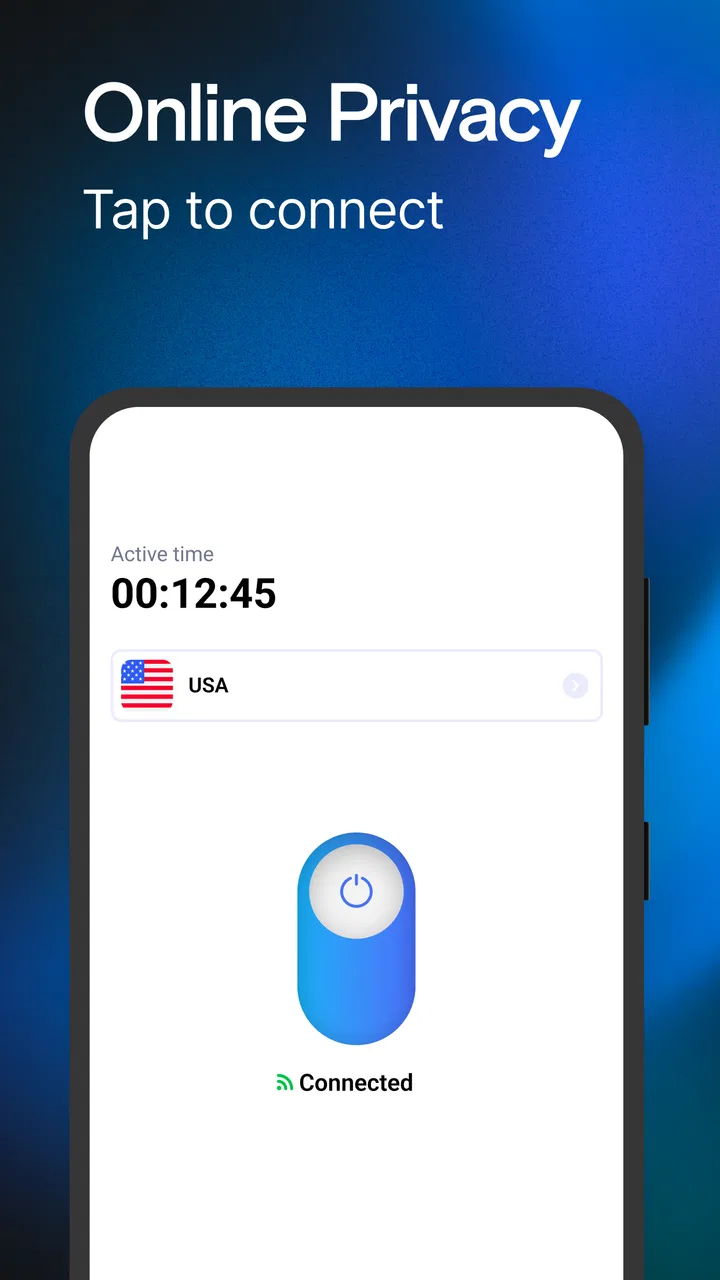
The main experience is deliberately simple: open the app, choose a connection, and start browsing through the VPN. I found that approach more comfortable than using a service filled with technical settings that I would rarely touch. For someone who wants protection while checking email, shopping, reading news, or using a messaging app on public Wi-Fi, the short path from opening the app to connecting is its strongest quality.
You May Also Like

 Blood Strike: 2.5 Anniversary
Blood Strike’s Loadouts Turn Every Drop Into a Tactical Gamble
A close look at Blood Strike’s custom loadouts: how fast access to signature weapons reshapes its battle royale rhythm, rewards preparation, and narrows the gap between fights.

 Pandora - Music & Podcasts
Pandora’s Music Is Easy to Start, but Harder to Recover
Pandora’s strength is its low-effort path from a seed to a station. Its weak spot is how much confidence it asks you to place in connection, setup, and quiet recovery.

 8 Ball Pool
 Is Built on Rivalries, Rematches, and Routine
A close look at the rivalries, rematches, shared routines, and unanswered safety questions that turn a quick pool match into a persistent mobile community.

 Samsung Music
’s Quiet Strength Is Playing What You Already Own
Its reach comes less from spectacle than from dependable access to a personal library. That simplicity is both the app’s strongest retention engine and its ceiling.

 AccuWeather: Weather Radar
AccuWeather Review: A Quick, Clear Forecast for Everyday Decisions
For everyday plans, the best forecast is the one you can understand quickly. AccuWeather makes rain timing, radar, and local conditions easy to act on, with a few trade-offs.

 Hill Climb Racing
Why Hill Climb Racing Still Turns Crashes Into One More Run
A tiny car, a bumpy hill and one more upgrade: Hill Climb Racing keeps resurfacing because its simple chaos makes every near-miss feel personal.
More From Our News Desk



A realistic example is working from a café. I might connect to the café network, open VPN Lumos before signing in to an account, and leave it active while handling ordinary tasks. That does not remove the need for a strong password or two-factor authentication, but it gives me a more controlled route for the connection. When I finish, I can disconnect rather than leaving the VPN running without a reason.
The app is also aimed at people who use calls, streaming, games, and television services on a phone. That broad focus makes sense because these are the activities where people often notice connection problems first. Still, I would not assume that a VPN automatically improves them. The nearest available route may be busy, and a distant route can add delay. For a video call, consistency is usually more important than simply seeing a VPN icon in the status bar.
Its popularity suggests that the uncomplicated approach appeals to a large audience: VPN Lumos has passed 10 million installs and holds a 4.4 average from roughly 762 thousand ratings. Those figures show broad adoption, but they are not a guarantee that every network, phone, or streaming service will behave the same way. I treat them as evidence that the app is easy enough for many people to try, not as proof of universal performance.
The setup is friendly, but the first connection deserves attention
On first use, I recommend slowing down long enough to read each system prompt instead of tapping through automatically. Android may ask permission to create a VPN connection, and that is the key permission for this type of app. Understanding when the connection is active helps avoid confusion later, especially if a banking app, workplace service, or video platform reacts differently once traffic is routed through a VPN.
I also prefer testing the app with a few ordinary tasks before relying on it for something important. I would open a familiar website, send a message, and try a short video. This quick check reveals whether the selected route works well on the current network. If a page refuses to load or a call becomes unstable, disconnecting and trying another available option is more sensible than assuming the phone itself is broken.
One useful habit is to separate privacy use from location experiments. If I am using the VPN because I am on public Wi-Fi, I want a dependable connection and do not need to keep changing routes. If I am testing whether a service behaves differently from another country, I expect more friction and possible blocking. Mixing those goals can make it difficult to tell whether a problem comes from the app, the destination service, or the chosen route.
What the current version means for existing users
Version 1.70.3 is the current build, and the app was released on February 20, 2023. That gives the product a clear place in its development: it is not a brand-new experiment, but neither should I pretend that a version number alone explains every change. A newer build can improve compatibility or polish without changing the basic experience, so I judge the update by how reliably the connection starts, stays active, and stops when I ask it to.
For someone already using an older installation, updating is sensible when the app offers a newer build through the normal store process. I would then reconnect and repeat a small test rather than assuming the update solved every issue. Check a website, a video, and the particular service that matters to you. This is especially useful after an Android update, because background behavior and network handling can change independently of the VPN app.
I would not read the release information as a promise of a particular future feature. The practical question is whether the current version fits your routine. If the app connects quickly and remains stable on your usual networks, there may be little reason to change your habits. If it frequently disconnects, causes a service to reject access, or drains attention through repeated prompts, a different VPN may be a better answer even if this one is widely installed.
Where it is genuinely useful
VPN Lumos makes the most sense for casual users who want a simple switch rather than a networking lesson. It can suit a traveler checking accounts from hotel Wi-Fi, a student using a shared network, or a remote worker who wants an additional layer between a phone and an unfamiliar access point. In each case, the value is convenience: the app puts a common privacy action in a form that does not require manual proxy settings.
It can also be useful as a temporary troubleshooting tool. Suppose a website works on mobile data but not on a home network. Connecting through the VPN may help me compare the two paths. If the service works through the VPN, that points toward a routing or network issue rather than proving that the VPN is faster. I would then disconnect and decide whether the VPN is a suitable workaround, because keeping it active can introduce its own delays.
Gamers need a more cautious approach. A VPN can sometimes help when a route from an internet provider to a game server is behaving badly, but it can also increase latency. I would test it in a low-stakes match or practice session, compare the feel with and without the connection, and keep whichever route is more stable. The app is not automatically the right tool for competitive play, where even a small delay matters.
Streaming has a similar trade-off. A VPN may change the route used to reach a service, but streaming providers can identify and restrict VPN traffic. A title or channel that works normally may behave differently after connecting. I would not subscribe to a premium plan solely on the expectation that it will unlock a particular catalog. The sensible test is whether the service you already use remains reliable on your own device and network.
Free access and the premium decision
The free entry point is one of the app’s biggest advantages for occasional users. I can install it, test it on my own network, and decide whether the connection is useful before spending money. That is a better approach than paying first based on a promise of faster browsing. The presence of in-app purchases means the free experience and any paid options should be considered separately.
If I were evaluating a purchase, I would look at the exact option shown in the app, whether it renews, and what changes after payment. I would also test the free connection during the times and activities that matter to me. A route that feels fine for reading may not be good enough for a video call. Paying does not change the physical distance to a server or guarantee that a third-party service will accept the connection.
For occasional public Wi-Fi use, the free version may be enough. A person who needs a VPN throughout the day should compare the total cost and practical behavior with established alternatives before committing. The relevant comparison is not just price; it includes connection consistency, the number of choices available, support for several devices, and how clearly the service explains its privacy practices.
How it compares with ordinary alternatives
The first alternative is no VPN at all, especially on a trusted home connection when I am doing low-risk browsing. A VPN adds another layer, but it also adds another service between me and the destination. For ordinary browsing at home, I might prefer simplicity. On a shared or unfamiliar network, the balance shifts toward using the app.
The second alternative is a VPN built into a browser. That can be convenient for web pages, but it may not cover other apps on the phone. VPN Lumos is more relevant when I want the connection to apply beyond one browser session, such as when using a messaging client or another app. The trade-off is that a full-device VPN can affect more of the phone’s traffic, so I pay closer attention to compatibility.
The third alternative is a long-established paid VPN with a larger collection of controls. Such services may be preferable for advanced users who need detailed server selection, multi-device management, or clearer tools for specialized workflows. VPN Lumos is easier to approach, but that simplicity may feel limiting if I want to tune every part of the connection or investigate a problem in depth.
Finally, a manual proxy or network setting can be appropriate for a technically confident user who has a specific configuration from work or school. That route offers control but requires more knowledge and maintenance. VPN Lumos wins for speed of setup, not for giving me a complete networking dashboard.
Limitations I would consider before installing
The biggest limitation is that a simple interface can hide important trade-offs. I can connect quickly, but I still need to understand that VPN status does not equal total anonymity. Websites can use accounts, cookies, device signals, and other methods to recognize activity. The app is a connection tool, not a replacement for careful browsing or secure account habits.
Another friction point is service compatibility. Some banking, work, shopping, and streaming apps may challenge a VPN connection or behave unpredictably when the apparent network changes. If one of those services is essential, I would test it before making the VPN part of my permanent routine. Keeping a quick disconnect option available is practical, particularly when an app refuses to sign in.
Performance can vary by network and destination. A VPN cannot overcome weak mobile reception, overloaded home Wi-Fi, or a distant server. It may help with one route and hurt another. I would avoid judging it from a single five-minute test and instead try it at the times I normally browse. That is a more honest measure than relying on a generic speed claim.
The app is also not the best match for someone seeking extensive technical transparency and fine-grained control. If I wanted a highly configurable service for several devices, detailed connection policies, or a professional privacy workflow, I would investigate alternatives designed around those needs. VPN Lumos is more convincing as an accessible utility than as a specialist platform.
Small habits that improve the experience
I would connect before opening the sensitive app, not after logging in. That keeps the workflow clear and avoids starting a session on the ordinary network and then switching routes halfway through. After connecting, I would wait briefly for the status to settle before loading a banking page or joining a call.
I would also make a short list of services that should be tested after installation: the main browser, a video app, a messaging app, and any work or school login. This catches compatibility problems early. If one service fails, I can disconnect only for that task instead of abandoning the VPN entirely or blaming the wrong component.
For battery and attention, I would avoid leaving the VPN enabled simply because I forgot about it. When I am finished with public Wi-Fi or a particular privacy-sensitive task, disconnecting gives me a cleaner baseline for troubleshooting. If the phone behaves differently afterward, I know which connection state to examine.
I would keep expectations realistic around calls and games. Before an important meeting, I would test the connection at the same location and on the same network. Before a competitive game, I would compare latency and stability rather than assuming the VPN route is better. These checks take little time and prevent the common mistake of treating privacy software as an automatic performance upgrade.
Who should use it and what to watch next
I would recommend VPN Lumos to a person who wants an approachable Android VPN for occasional public-network use, basic connection switching, and a quick way to test whether a network path is causing trouble. Its free starting point, Everyone rating, and uncomplicated design make it easy to evaluate without turning the decision into a technical project.
I would suggest skipping it, or at least comparing it carefully with other services, if you need advanced controls, predictable support for demanding work, or a VPN specifically chosen for competitive gaming and streaming access. Those needs require testing rather than trusting the app’s general purpose. The same tool can be convenient for a traveler and frustrating for someone who needs a precise, always-on configuration.
When I look at future updates, I would watch for practical improvements rather than flashy additions: clearer connection feedback, smoother recovery after a network changes, dependable behavior on newer Android releases, and transparent explanations of what paid options change. Those details affect daily trust more than a crowded feature screen. The current version is the one to judge today; future development should be treated as a possibility until it is present and working.
My final view is positive but measured. VPN Lumos is a useful, low-friction tool for adding a VPN connection to everyday phone use, and its large user base shows that the approach is accessible. I like it most when I can connect before using an unfamiliar network, test the services I need, and disconnect when the task is done. Its real strength is convenience, not a promise that every connection becomes faster or every online restriction disappears. If that matches what you need, it is worth trying for free; if you need deep control or guaranteed compatibility, compare it with a more specialized alternative first.
FAQs for VPN Lumos: Fast VPN
01What platforms is VPN Lumos available on?
VPN Lumos is available for both Android and iOS platforms. You can easily download the app from the Google Play Store or the Apple App Store. It offers a seamless experience across both operating systems, ensuring that users can enjoy secure browsing on their smartphones or tablets.
02How does VPN Lumos ensure user privacy and security?
VPN Lumos employs advanced encryption protocols to safeguard your data. It masks your IP address, making it difficult for hackers or other entities to track your online activities. The app also features a strict no-logs policy, ensuring that your browsing history is never stored or shared.
03Is VPN Lumos free to use, or does it require a subscription?
VPN Lumos offers a free version with basic features, allowing users to test the service. For enhanced features and unlimited access, a subscription is required. Various plans are available, including monthly and yearly options, providing flexibility based on user needs and budget.
04Does VPN Lumos affect internet speed?
While using a VPN can slightly reduce internet speed due to encryption processes, VPN Lumos is optimized to minimize this impact. It utilizes high-speed servers around the globe, ensuring that users can stream, browse, and download with minimal lag or buffering.
05Can I use VPN Lumos to access geo-restricted content?
Yes, VPN Lumos allows users to bypass geo-restrictions and access content from different regions. By connecting to servers in various countries, you can enjoy streaming services, websites, and applications that might otherwise be unavailable in your location.
Pros
- High-speed connections for seamless browsing.
- User-friendly interface with easy setup.
- No-logs policy ensures privacy.
- Wide range of global servers available.
- Supports multiple devices simultaneously.
Cons
- Limited free version features.
- Occasional connection drops.
- No built-in ad blocker.
- Subscription can be pricey.
- Customer support lacks 24/7 availability.

VPN Lumos: Fast VPN
Gallery